For agencies and ad buyers
Prove which ads drive revenue.
See which ad, post or email brought each sale, on every client site. Then send each client a report they understand at a glance.
- Set up in minutes
- No coding
- 30-day money back
Rather have a hand? Book a setup call
Revenue by source
Every dollar, by what brought it.
Revenue, revenue per visitor and the link or ad behind each sale.
| Source | Revenue | Per visitor |
|---|---|---|
| Instagram bio linkShort link | $4,280 | $4.62 |
| GoogleSearch | $3,294 | $1.71 |
| DirectTyped or bookmarked | $2,290 | $2.10 |
| Restock alert emailEmail | $1,544 | $8.30 |
| Past visitors, 30 daysMeta ad set | $1,476 | $3.43 |
Dashboards
A board built for each client.
Say what the client runs. Datacenter picks the numbers, builds the board and keeps it current.
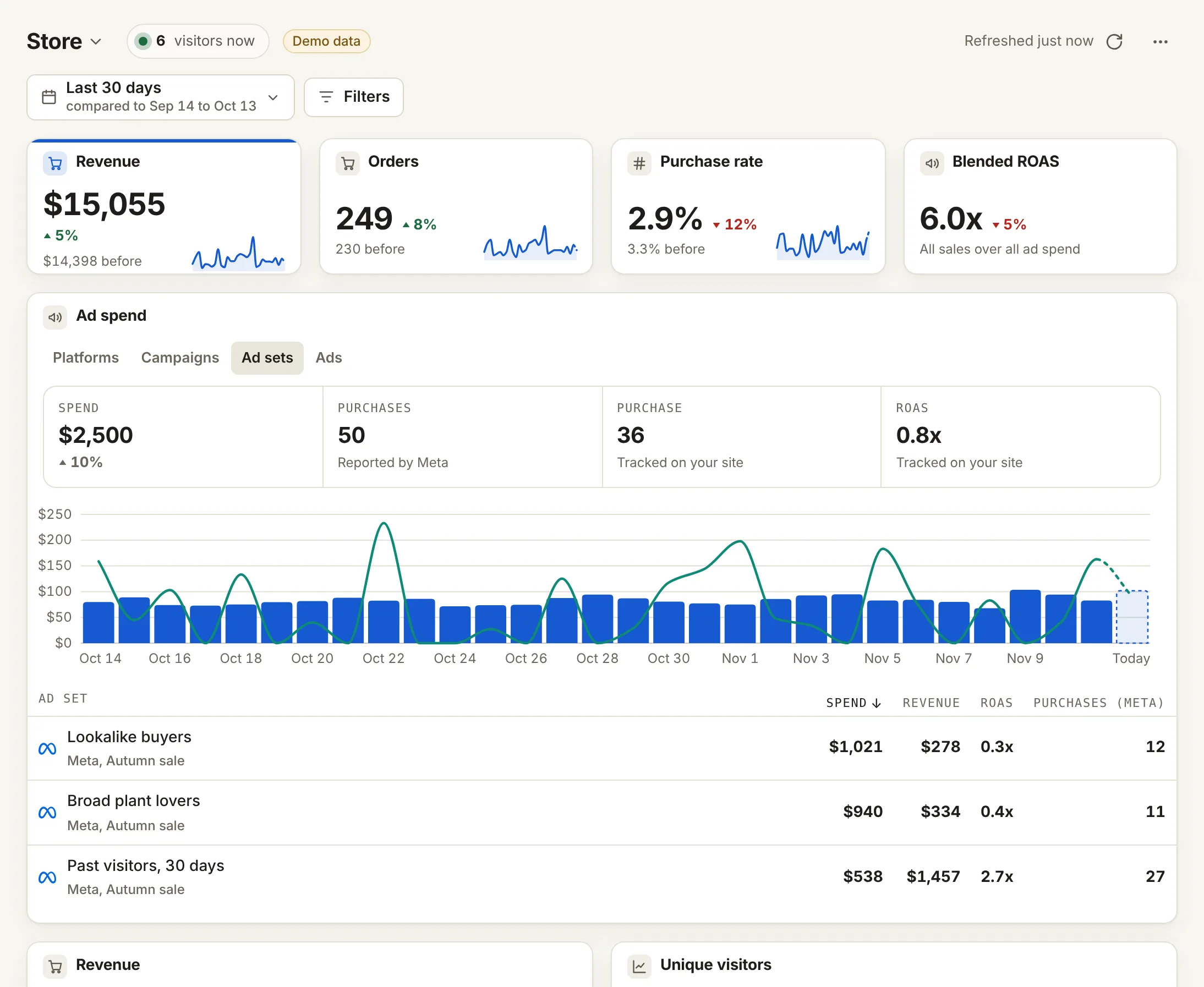
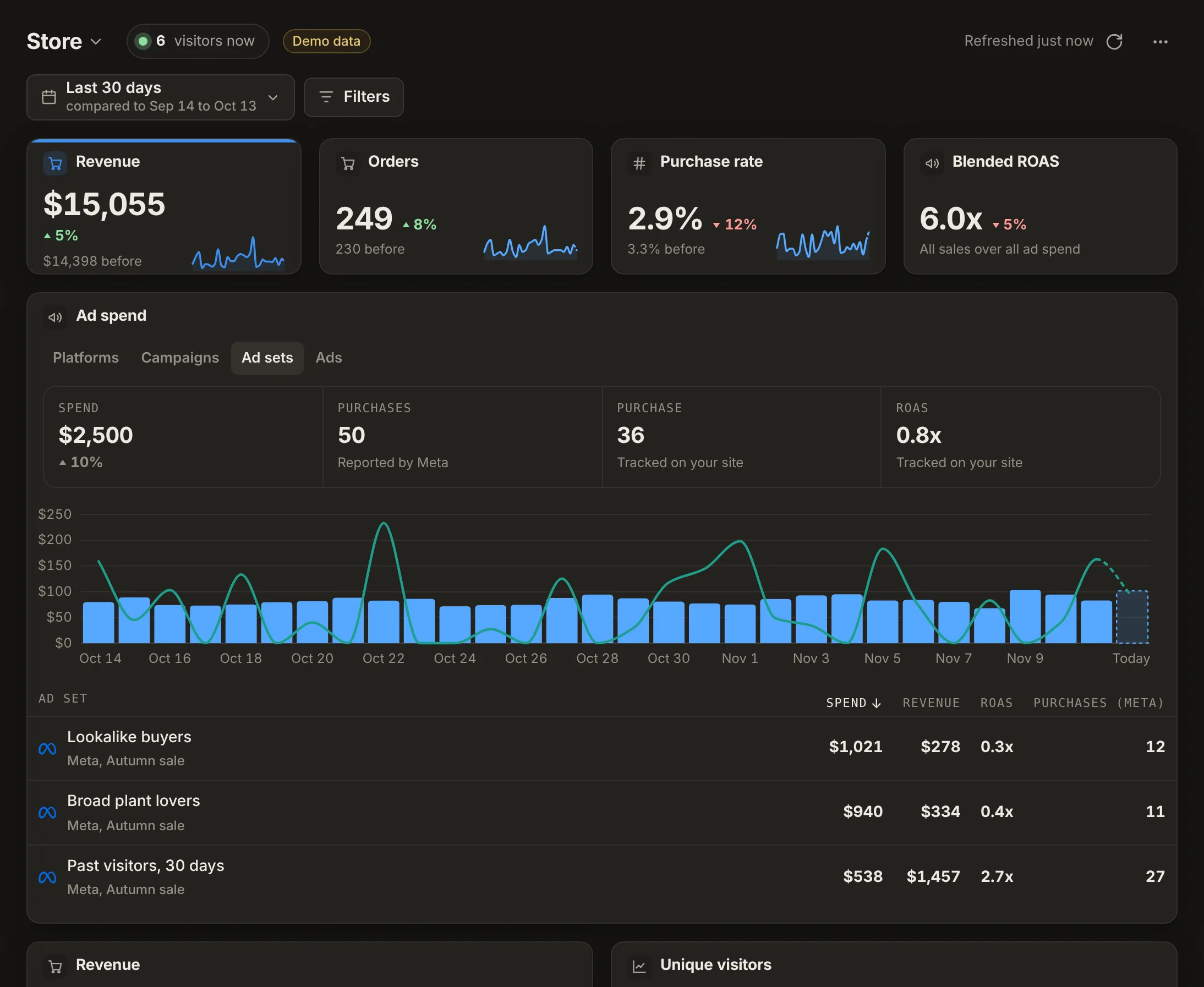
The Store board on a made-up shop. Demo data.
-
Built for you
Six boards, by business
Store, Lead gen, SaaS, Local service, Content and Agency client.
-
Any card
92 metrics, 22 splits
Add card, then a metric. Two clicks, with your numbers beside each.
-
Ads, side by side
What Meta says, and what you saw
Signups and cost per signup from Meta, next to what Datacenter tracked.
Client reports
The report your client reads.
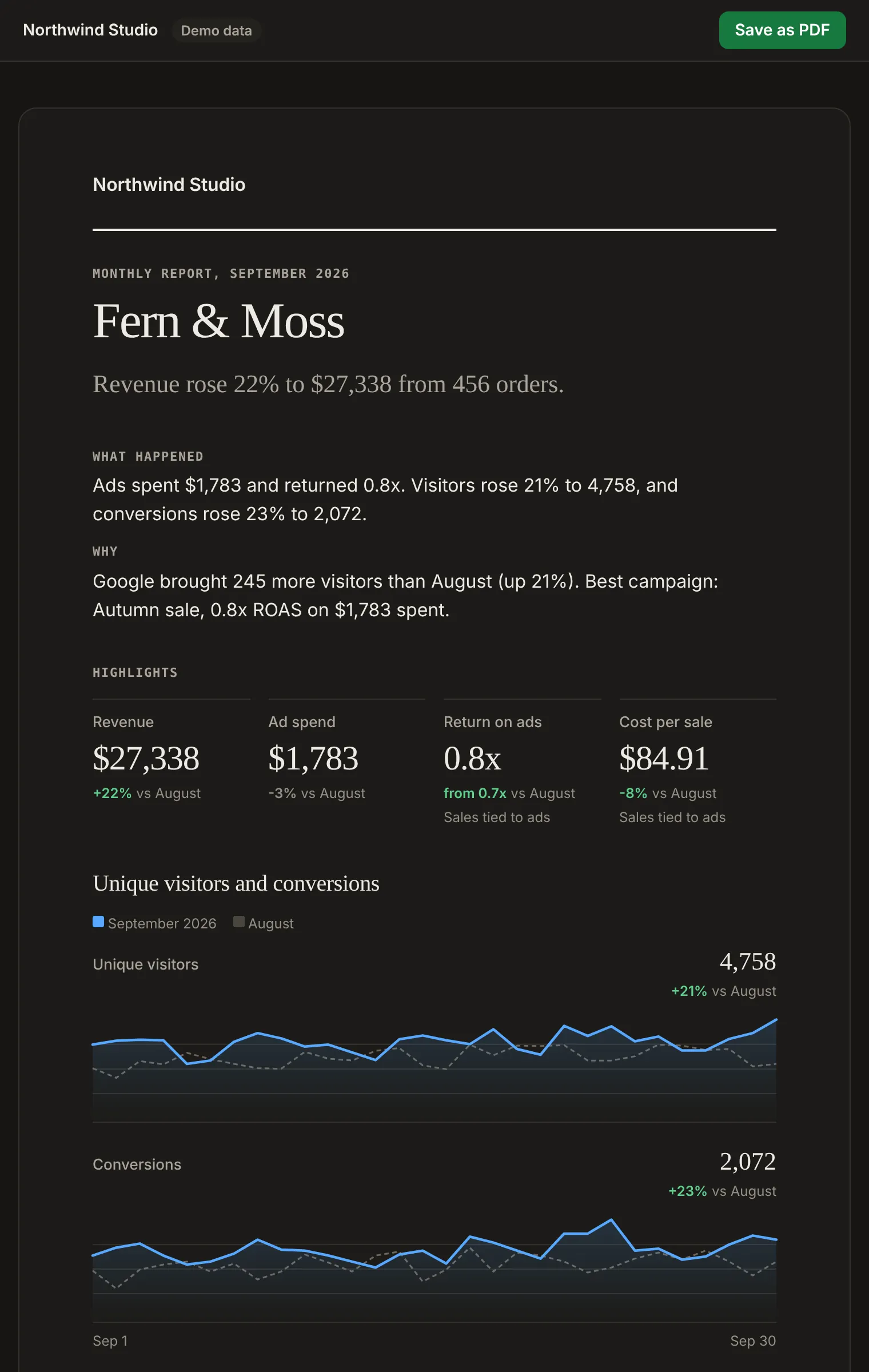
Every client site in one account. Each client gets a branded report on the day you pick, and never needs your login.
- Up to 15 sites on Studio, 50 on Agency
- Client reports on a schedule, with a live link and PDF
- Invite clients by email, no password to set
- Read-only dashboards, one link each
- Your logo, or white label on Agency
- JJuniper Candle Co.junipercandle.shopJuniper3,912visitors$4,120this month
- HHarbor Dentalharbordental.exampleHarbor1,206visitors41 callsthis month
- FFern and Folkfernandfolk.exampleFern2,488visitors$2,760this month
- PPeak Fitnesspeakfit.examplePeak958visitors63 signupsthis month
Track the links you share in:
Set up in a few minutes. No coding: paste one line, add our WordPress plugin, or hand one prompt to your AI tool. See the install guides
One login for every client
Prove. Keep. Automate.
Real screens from the app, on a made-up shop. Demo data.
-
Job 01
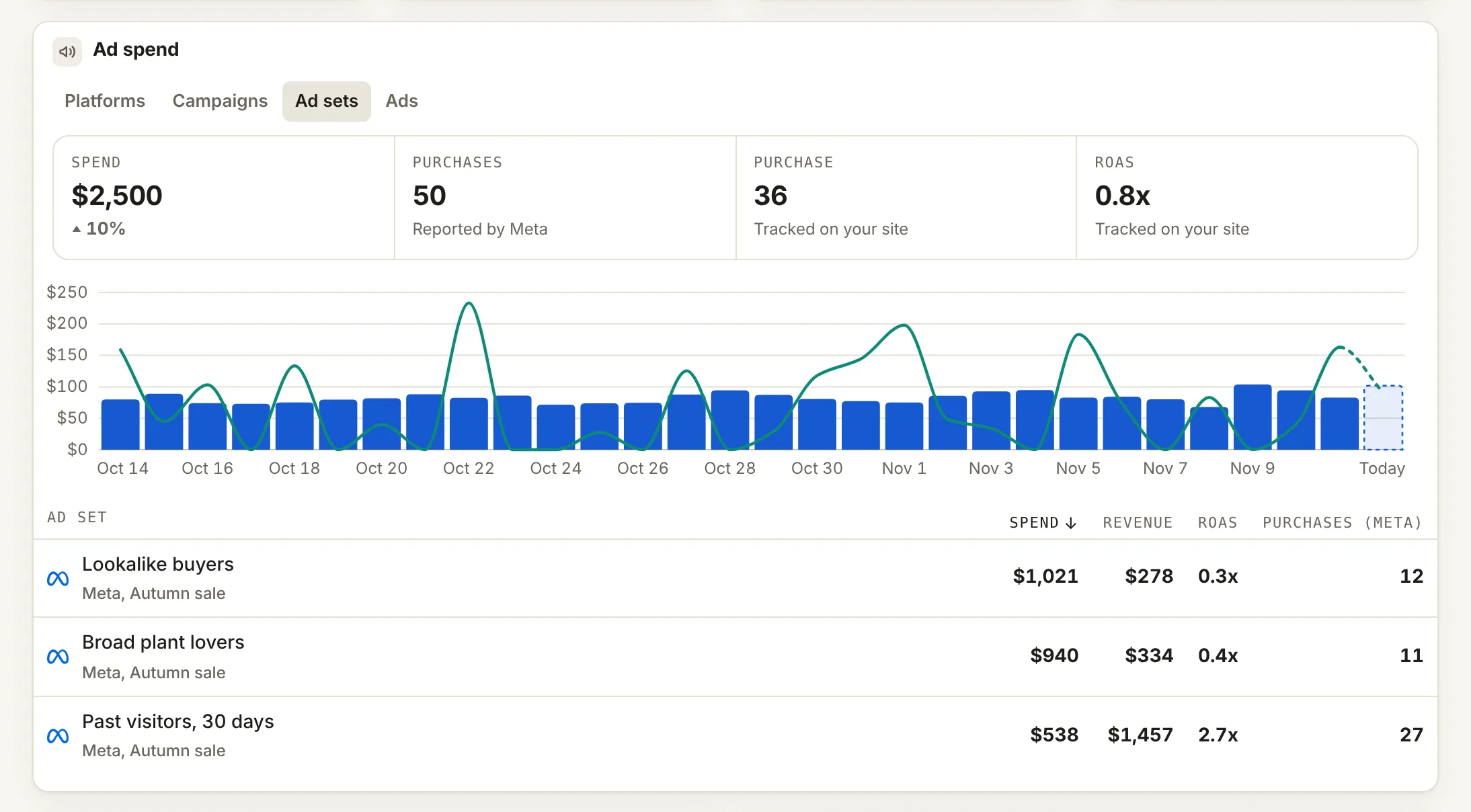
Prove results.
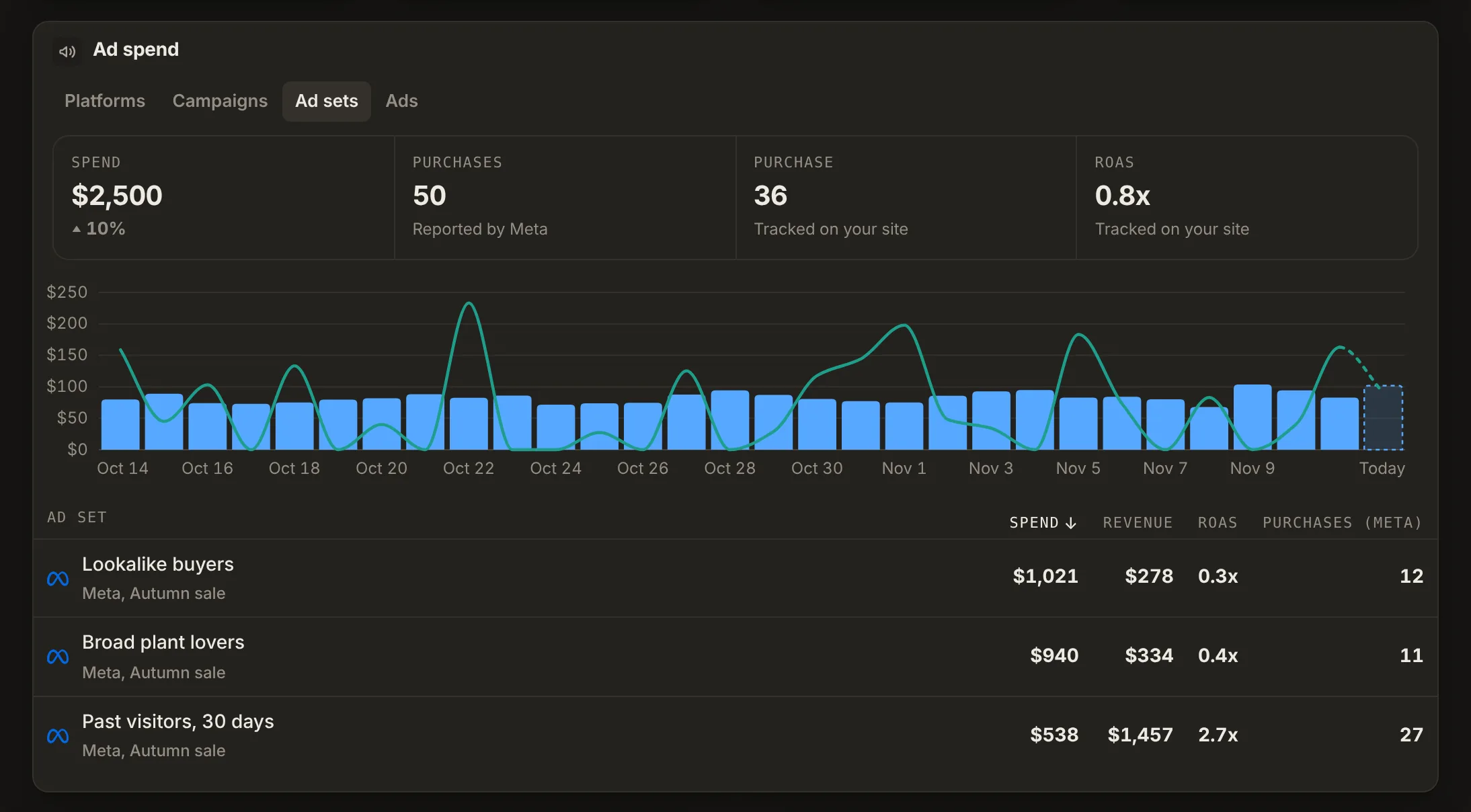
Attribution, dashboards and profiles show which ad, post or email brought each sale.
-
Job 02
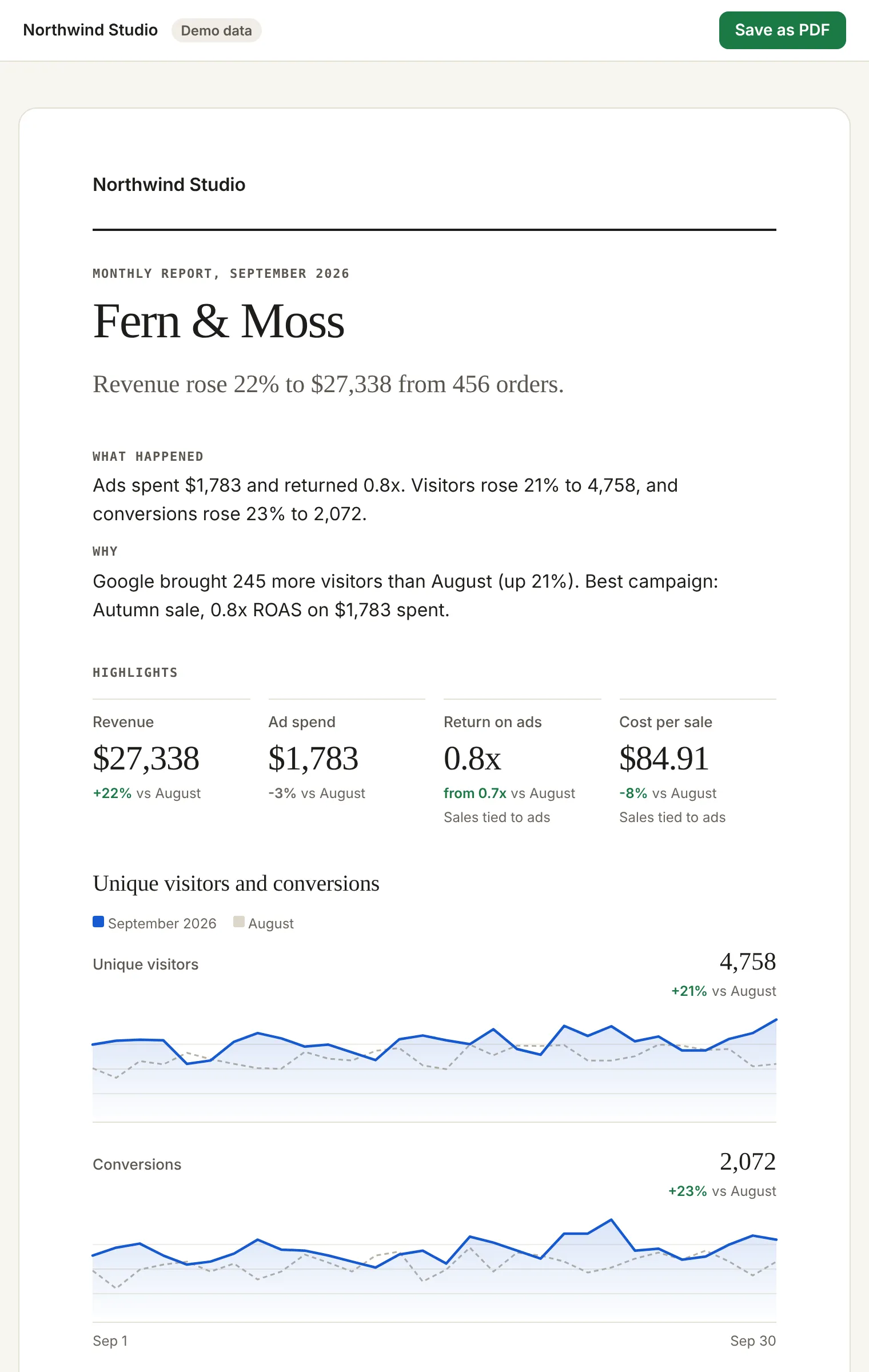
Keep clients.
Branded reports on a schedule, a live link, a PDF, and client logins with no password.
-
Job 03
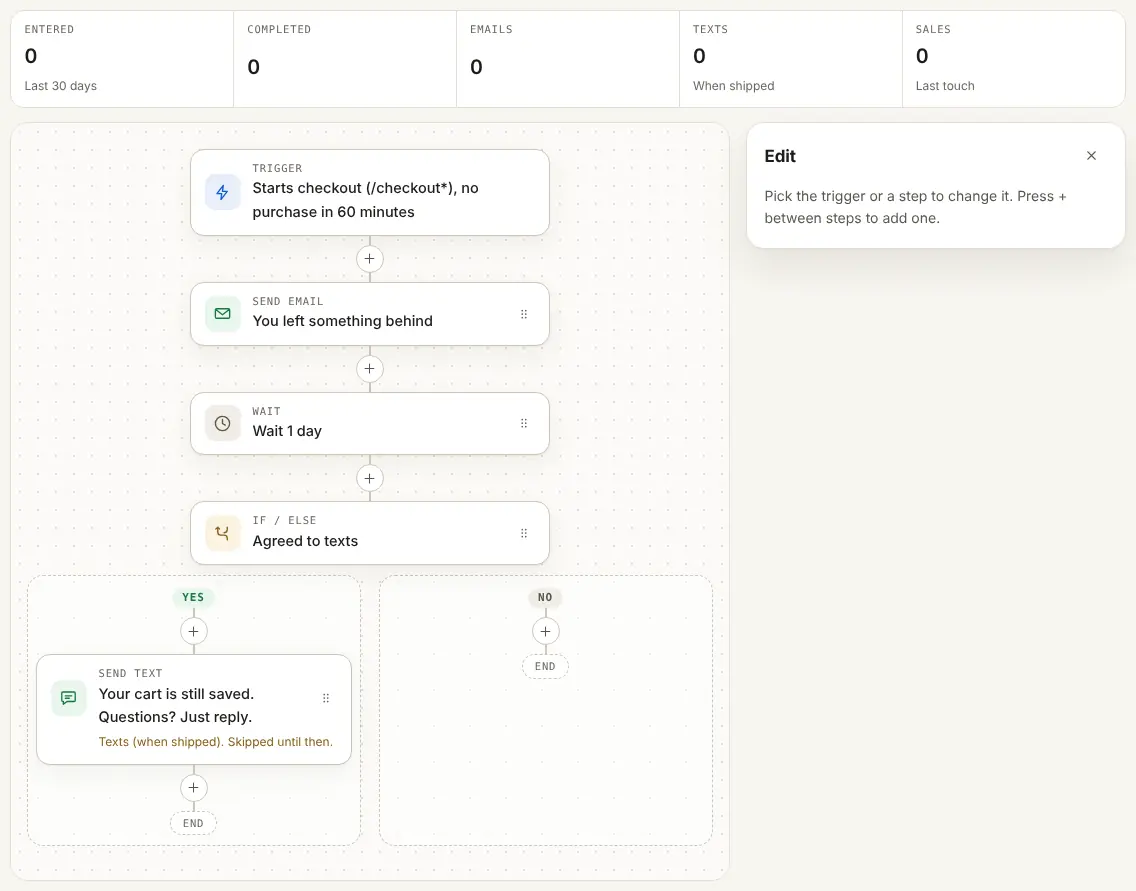
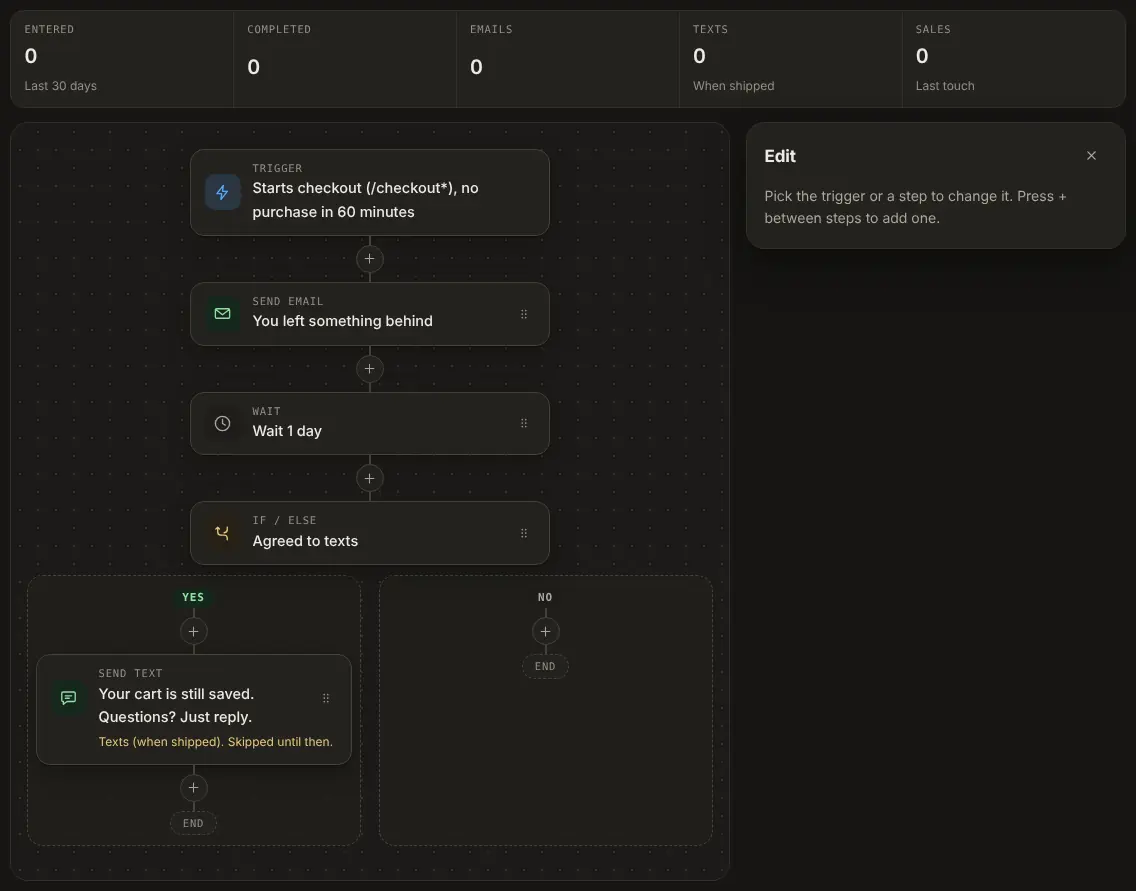
Automate follow-up.
Flows email each lead at the right moment, and count the sales they bring.
Your ad platform sees only part of the story.
People click today and buy next week. They switch phones, open an email, tap a text. Those sales often get no credit at all.
Why it matters
Late sales are where the money hides.
Datacenter follows one person from the first tap to the last order. Then it shows which link, post or ad started it.
Each customer gets one page. Every click, visit, email, text and sale, and what they spent in total.
Journeys across days and customer pages need 90-day tracking, on Solo and up.
- Day 0Tapped your bio link on Instagram
- Day 1Opened your spring sale email
- Day 3Came back from a text message link
- Day 3Bought a gift set, $64
- Day 31Bought again, $48
Example journey. Demo data.
How it works
Four steps. No developer.
Most people finish in one sitting, with the guide for their site builder open.
-
Step 01: Add one line
Paste one line on the site.
Guides for Shopify, WordPress, Wix and more.
<script defer data-site="yourshop.com" src="https://datacenter.so/s.js"></script> -
Step 02: Share smarter links
Make a link for each place you share.
Pick SMS, email or an ad. The tracking fills in.
go.yourbrand.com/spring
Where will you share it?
- SMS
- Instagram bio
- Meta ads
- QR code
-
Step 03: See the whole path
Click, visit, sale. In one row.
Every sale tied to the link or ad that started it.
- Clicks642
- Visits598
- Sales37
- Revenue$1,850
-
Step 04: Send sales to Meta
Meta learns from real sales.
Two values to paste. Datacenter does the rest.
Datacenter37 salesMetaReceivingGoogle Ads(when shipped)
- No developer needed
- No cookie banner in Private mode
- No sales call needed
- Cancel any time
| Ad set | Meta reported | Datacenter saw |
|---|---|---|
| Spring sale, video | 26 | |
| Gift sets, carousel | 17 | |
| Lookalike, 3% | 12 | |
| Retargeting, 30 days | 10 | |
| Total, 4 ad sets | 65 |
See the gap
Same ads. Now you see every sale.
- Sales on another device or a later day
- Sales from links in bios, texts and emails
- Six ways to credit a sale, from first touch to time decay
Missed sales estimator
How many sales have no known source?
Put in last month's numbers. This is an estimate from your inputs, not a promise of what Datacenter finds.
(120 - 84) × $52 = $1,872
By business
Pick what your client runs. See it work.
- 01 AgenciesProve results to every client.You will see: every client in one login Show me how
- 02 FreelancersShow each client what your ads earned.You will see: each client's sales and leads by ad Show me how
- 03 Online storeProve which ads bring orders.You will see: orders by ad, ad set and link Show me how
- 04 Services and leadsProve which ads bring calls and bookings.You will see: calls, bookings and forms by source Show me how
Private by default.
Every site starts in Private mode. You choose when a site needs more.
Default
Private mode
- No cookies, nothing stored in the browser
- No banner needed in most places
- Counts each visitor once a day
Paid plans
90-day tracking
- A first-party id on your own domain, for 90 days
- A sale on day 3 ties back to the click on day 1
- You control consent; it can wait for a yes
Plans
Plans that grow with your clients.
Solo, Studio, Agency and Custom include attribution, the Meta Conversions API and automations. Free is a small way to try basic stats.
- Unlimited sites
- Unlimited pageviews and clicks
- Unlimited short links
- Unlimited short domains
Our promise
30 days to decide. Or your money back.
If Datacenter is not right for you, ask within 30 days of your first payment. We refund it in full. No questions asked.
- Cancel any time in Billing
- Export your data as CSV
- Free plan with no card
Questions, answered.
Can I send clients a report?
Yes, on Studio, Agency and Custom. Pick a template, set the day, and each client gets a branded email with a live link and a PDF. Agency sends it white label.
How do I show which ads made the money?
Datacenter ties each sale to the link, ad or post that started it, even when the buyer comes back days later from Google. The attribution report shows revenue and ROAS by campaign, ad set and ad, with spend from Meta or a CSV from any platform. Journeys across days need 90-day tracking, on paid plans.
Do my clients need a login?
No. Invite a client by email and they open a read-only dashboard, with no password to set. Or send one link to the dashboard. They never see your account.
Do I need a developer?
No. You copy one line and paste it where the site builder says, with step by step guides for Shopify, Squarespace, Wix, Webflow, Framer and Google Tag Manager. On WordPress, our plugin connects in one click. If an AI tool builds the site, Set it up with AI gives it one prompt that adds the tag and checks it. Short links need no setup at all.
How long does setup take?
Most people finish in a few minutes. Add the site, paste the line, then open the site once. The setup page checks live and turns green when the first visit arrives. Signups and sales your Meta, Google, TikTok or Pinterest tags already report count from then on, with no setup.
How does the Meta connection work?
You paste the pixel id and an access token from Meta. Datacenter then sends the sales you mark as goals to the Meta Conversions API, from our server. It is part of Solo, Studio, Agency and Custom.
What can automations do?
A flow waits for a moment, like a signup or a stalled checkout, then waits, checks and sends emails for that person. It counts the sales it brought. On Solo, Studio, Agency and Custom. Texts in flows are coming (when shipped).
Do I need a cookie banner?
Not for Private mode, the default. It sets no cookies and stores nothing in the browser. 90-day tracking keeps an id for 90 days, so in many places it needs consent first.
How is this different from Google Analytics?
Datacenter is smaller and simpler. It adds short links that see the visit and the sale, sends sales to Meta, and sends clients a report they can read. It sets no cookies in Private mode.
Will it slow the site down?
No. The script is small, loads after the page and sends one short message per page view.
What is the money back promise?
Ask within 30 days of your first payment and we refund it in full. No questions asked. Just reply to any email from us or write to hello@datacenter.so.
Is there a free plan?
Yes, a basic one for 1 site with 5k pageviews and clicks a month. It has no attribution and no Meta connection. Those are paid features.
Prove the ads. Keep every client.
Set up in minutes. Then watch the first sale come in.